 Free · Open source · Runs on your Mac
Every call, on paper.
EchoPad records your calls and meetings, tells the speakers apart and saves the transcript where you keep your notes. No bot in the call, no cloud, no subscription.
How it works
From call to notes without typing
Join a call
EchoPad notices Zoom, Meet, Teams and friends using the microphone and offers to record.
Talk as usual
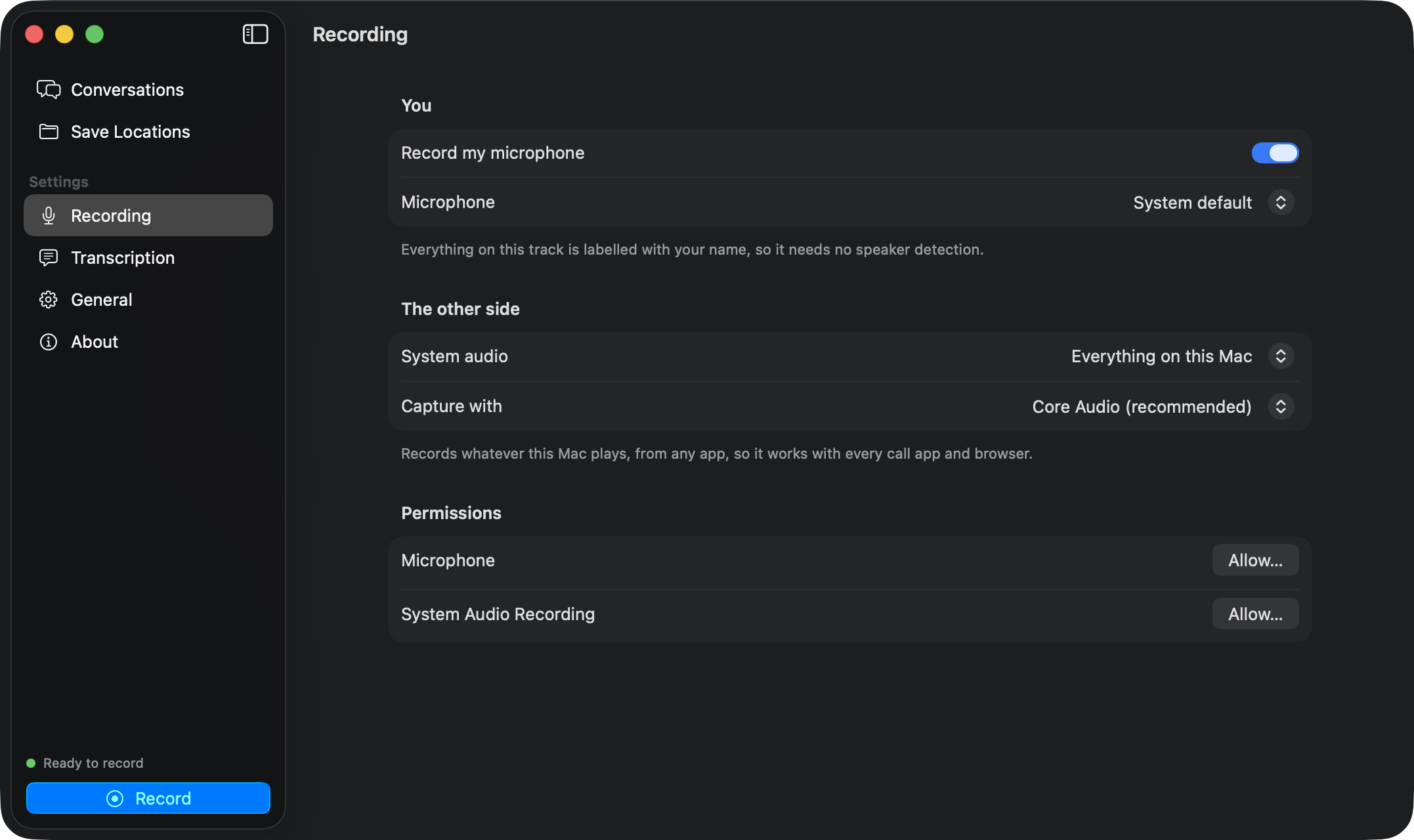
Your microphone and the other side are recorded as two tracks. A glass pill shows the timer.
Get a transcript
Stop, and a transcript with speakers lands in your folder, in the formats you chose.
Features
A meeting recorder that stays out of the way
Parakeet v3, on-device
NVIDIA’s TDT model runs on Apple’s Neural Engine through FluidAudio. 25 European languages, fully offline after one download.
Knows who said what
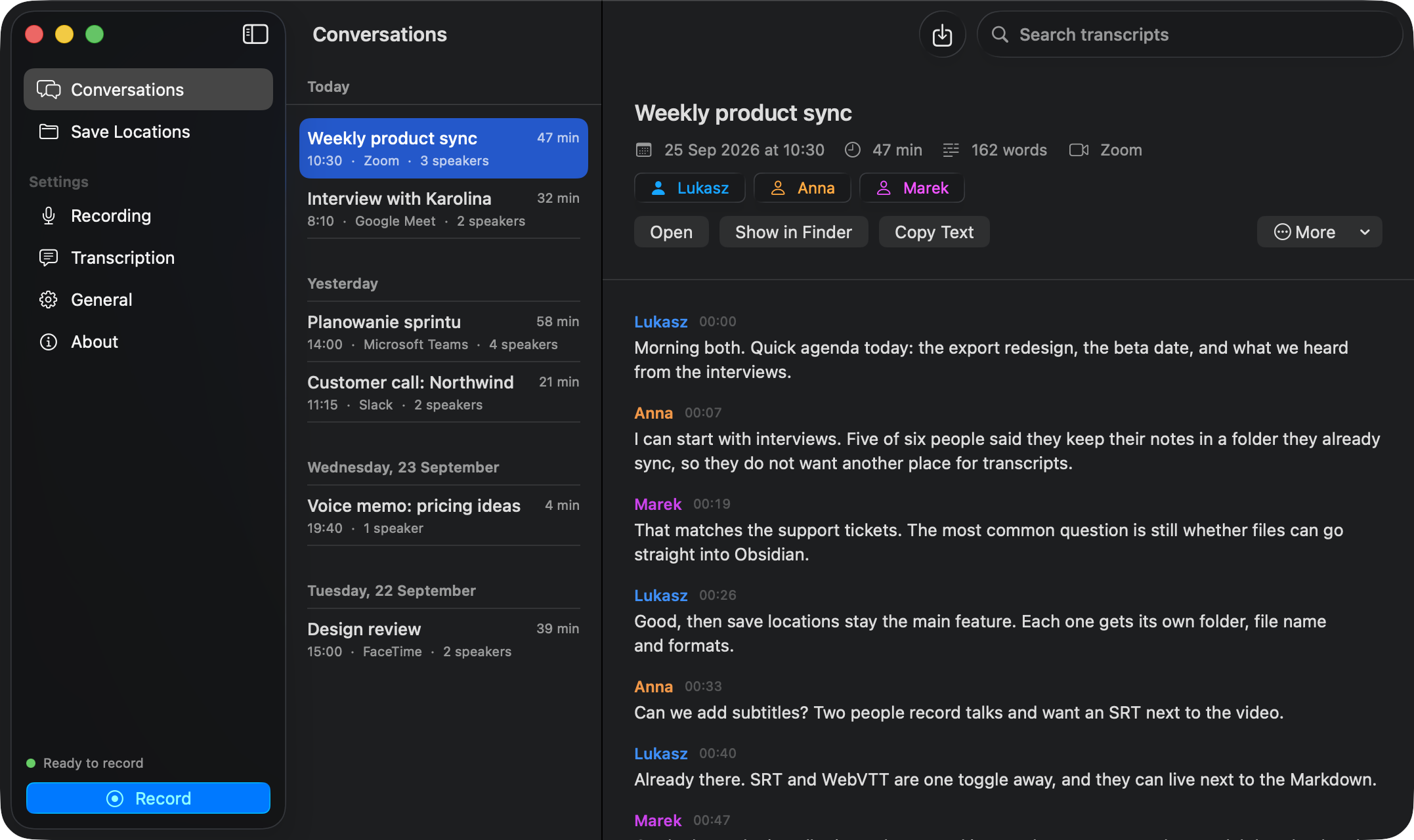
Your side comes from the microphone, so it is always you. The other side is split into speakers you can rename.
Saves where you work
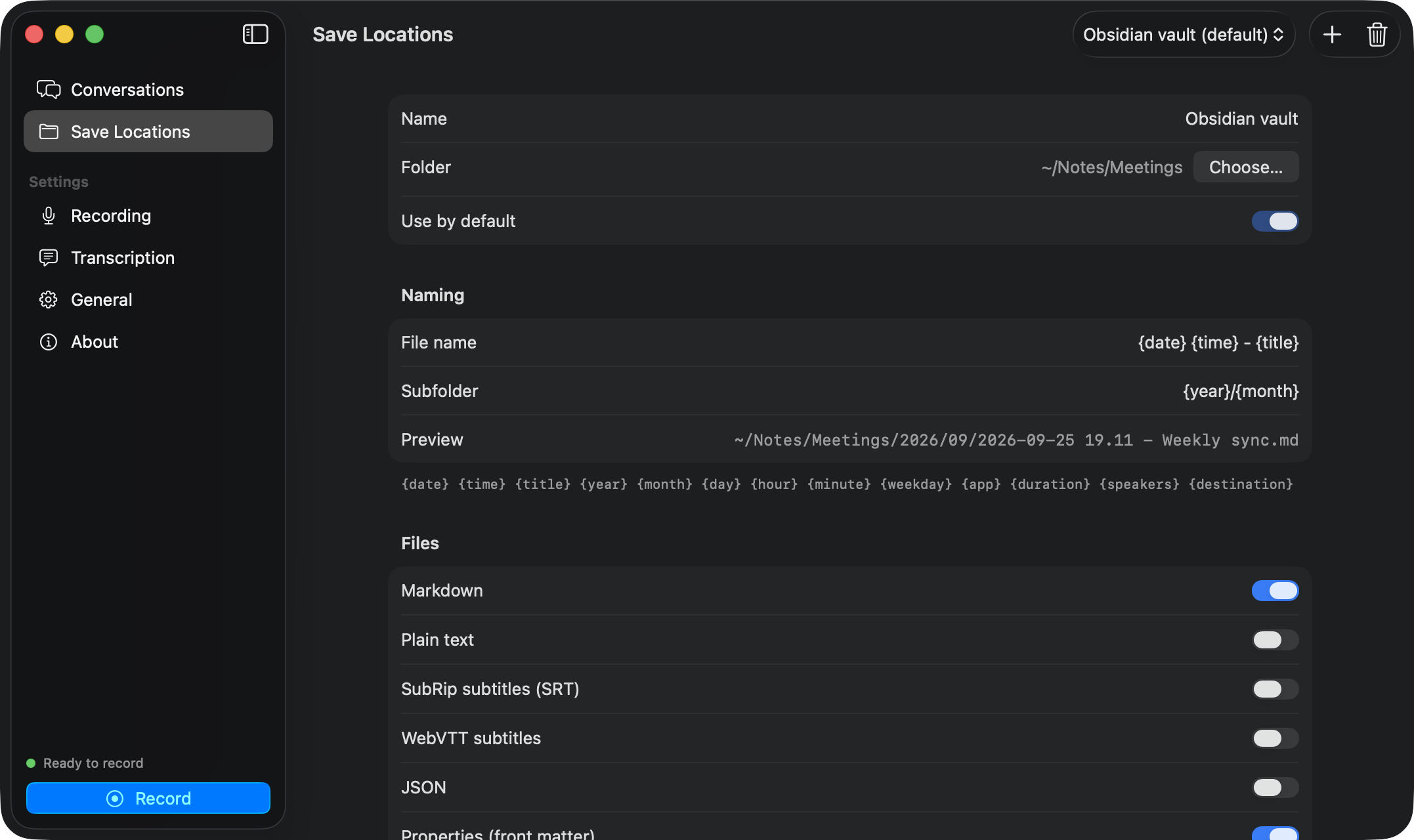
An Obsidian vault, a client folder, iCloud Drive. Each save location has its own folder, file name and formats.
Markdown, text, subtitles
Markdown with front matter, plain text, SRT, WebVTT and JSON. Audio as AAC or WAV, next to the note or on its own.
Never miss a meeting
A notification with a Record button appears when a call starts. Or press ⇧⌘E, or click the menu bar icon.
Free, for real
No account, no subscription, no minute limit. MIT licensed, like the two Swift packages it is built on.
A look inside
Conversations, save locations and settings in one window
Privacy
What leaves your Mac? Nothing.
- Audio is recorded only while you record, into a folder on your Mac.
- Transcription and speaker detection run locally on the Neural Engine.
- The only network requests download the models from Hugging Face, once.
- No analytics, no crash reporting, no account. Check the source to be sure.
| EchoPad | Typical meeting note-taker | |
|---|---|---|
| Price | Free forever | Monthly subscription |
| Where audio is processed | On your Mac | Remote servers |
| Bot joins the call | No | Often |
| Where transcripts go | Any folder you pick | Their web app |
| Source code | Open, MIT | Closed |
Open source
Two Swift packages you can use too
Keep every conversation
Build it from source in one command. Setup walks you through permissions, the model download and where to save.