 EchoPad
Save locations
Choose where transcripts go, how files are named, which formats to write and what happens after saving.
A save location is a recipe for one place your transcripts go. Keep one for your Obsidian vault, one for a client folder, one for subtitles. The default location is used for new recordings; you can pick another per recording from the menu bar panel.
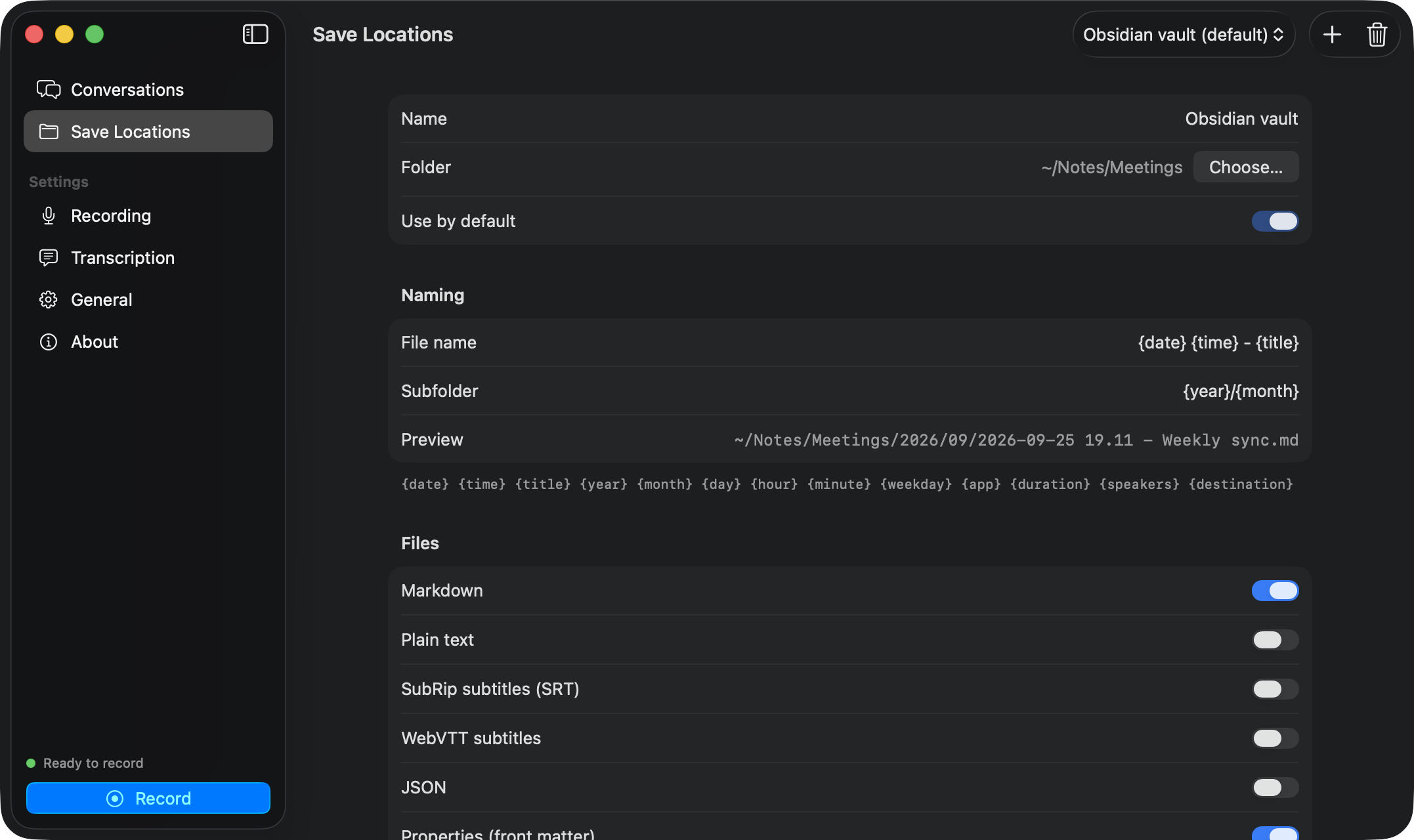
Folder and names
| Field | Example | Notes |
|---|---|---|
| Folder | ~/Notes/Meetings | Any folder. ~ is your home folder. |
| Subfolder | {year}/{month} | Optional. Created as needed. |
| File name | {date} {time} - {title} | Without extension. |
Tokens
| Token | Becomes |
|---|---|
{date} | 2026-09-25 |
{time} | 14.05 (a dot, since a colon is not allowed in file names) |
{year} {month} {day} | 2026 09 25 |
{hour} {minute} | 14 05 |
{weekday} | Friday |
{title} | The conversation title |
{app} | Zoom, Microsoft Teams… or empty |
{duration} | 47m, 1h05m |
{speakers} | Number of speakers |
{destination} | The save location’s name |
Characters that cause trouble in file names or Obsidian links (/ : \\ ? % * | " < > [ ] # ^) become spaces. If a file already exists, EchoPad adds (2), (3)… instead of overwriting it.
Formats
Tick any combination:
- Markdown (
.md) with a title, optional YAML front matter and bold speaker names. - Plain text (
.txt). - SRT and WebVTT subtitles, with cues of up to about 7 seconds, prefixed by the speaker.
- JSON with every segment and word timing, for your own tools.
Timestamps adds [mm:ss] before each turn in Markdown and text. Properties (front matter) adds a YAML block:
---
title: "Weekly product sync"
date: "2026-09-25"
time: "10:30"
duration: "00:47:12"
app: "Zoom"
speakers: "Lukasz, Anna, Marek"
language: "en"
audio: "[[attachments/audio/2026-09-25 10.30 - Weekly product sync.m4a]]"
source: "EchoPad"
tags: "meeting"
---
Extra properties adds your own lines, one key: value per line, such as tags: meeting.
Audio
Keep the recording decides what happens to the audio:
- No: only the transcript is saved. EchoPad still keeps the tracks in its library for a while (see Settings).
- Next to the transcript: a mixed file with the same name.
- In a folder: a relative folder such as
attachments/audio, or a full path. Relative folders start at the vault root inside Obsidian, otherwise at the save location’s folder, so notes in dated subfolders share one audio folder.
Choose AAC (.m4a) for small files or WAV for lossless audio. With Markdown, the note links to the audio: a wiki embed inside an Obsidian vault, a normal link elsewhere.
Obsidian
When the folder is inside a vault (a folder with .obsidian in it or above it), the editor shows Inside the vault “Name”, audio is embedded with ![[…]], and the Open in Obsidian action opens the note in the right vault.
After saving
Add any number of actions, run in order:
| Action | What it does |
|---|---|
| Show in Finder | Selects the transcript in Finder. |
| Open the transcript | Opens it in the default app. |
| Open in Obsidian | Opens the note in its vault. |
| Copy transcript to clipboard | Plain text with speaker names. |
| Run a shortcut | Runs a Shortcuts shortcut with the transcript file as input. |
| Run a script | Runs an executable with two arguments: the transcript path and the audio path (empty if no audio was saved). |
A script can do anything: summarise with a local model, upload to your server, file the note by client.
#!/bin/bash
# ~/bin/after-echopad.sh
transcript="$1"
audio="$2"
echo "$(date): $transcript" >> ~/echopad.log
Remember to chmod +x the script.